Verifying Prescriber Identity with ID.me: Guide for Administrators
Last updated: October 26, 2026
Prescribers at your practice confirm their identity with ID.me before they are enrolled to send prescriptions. For the prescriber's enrollment steps, see 📄 Verifying Your Identity with ID.me: Step-by-Step Guide for Prescribers.
Before you begin
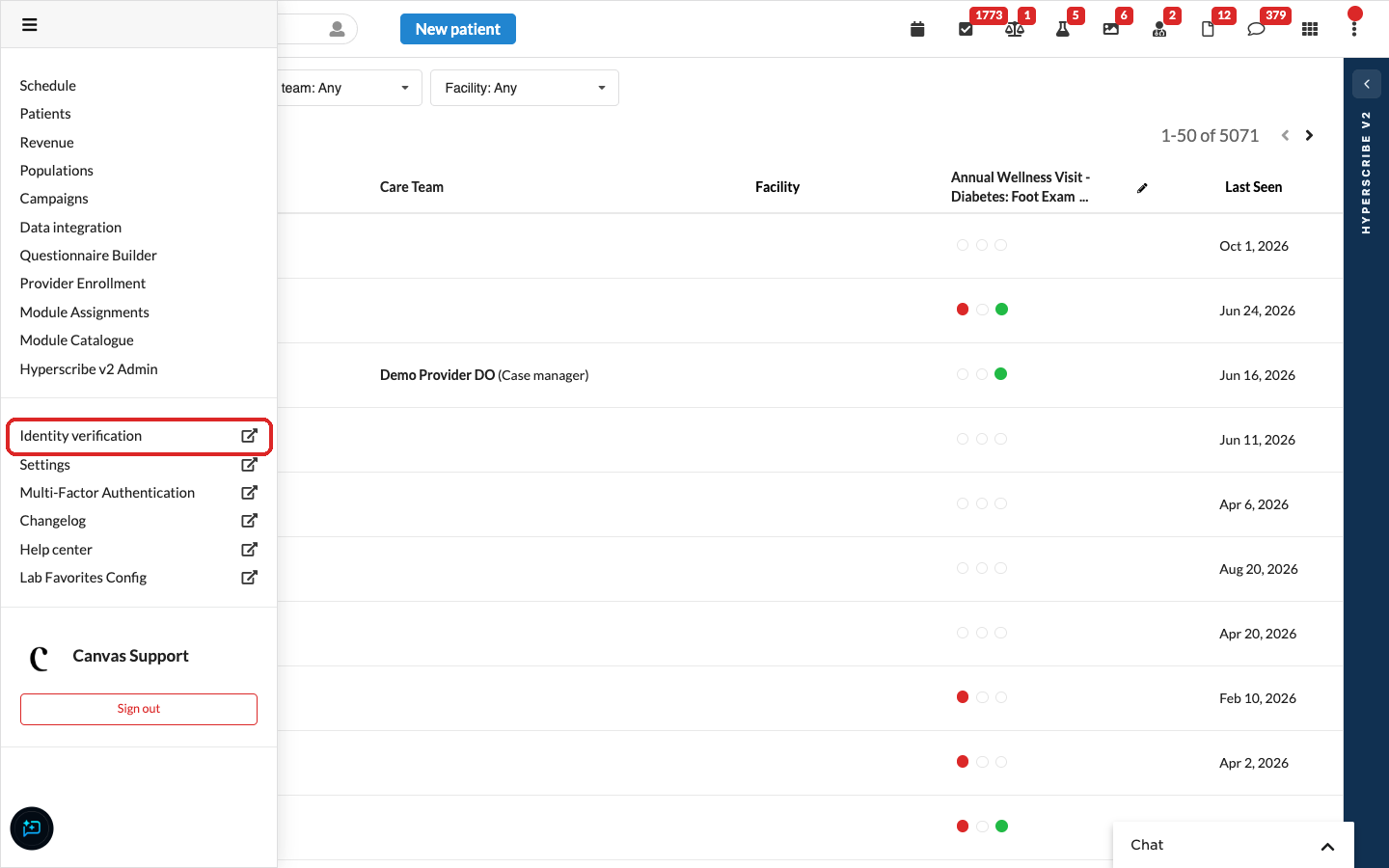
Make sure identity verification is enabled. If prescribers don't see Identity verification in the left hand menu, contact Canvas support.
Only staff with the EPCS Administrator role see the list of prescribers and their verification status. Give this role only to the people who manage prescriber enrollment.
Update staff profiles with names and birth dates
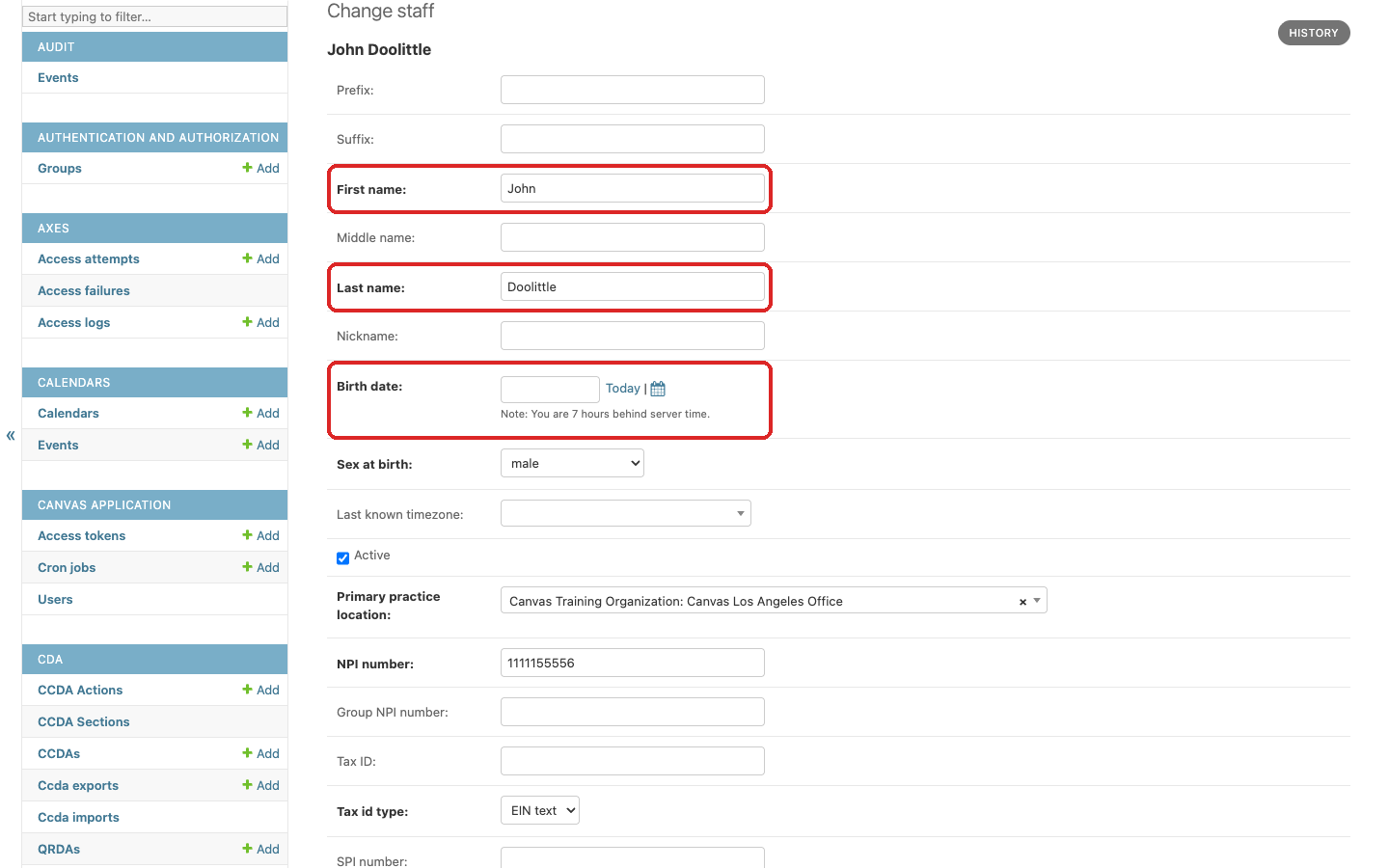
Before a prescriber starts identity proofing, make sure the First name, Last name, and Birth date on their Canvas staff record match their government-issued ID. Canvas compares these three fields with what ID.me verifies, and if any of them differs or is blank, the verification is not recorded.
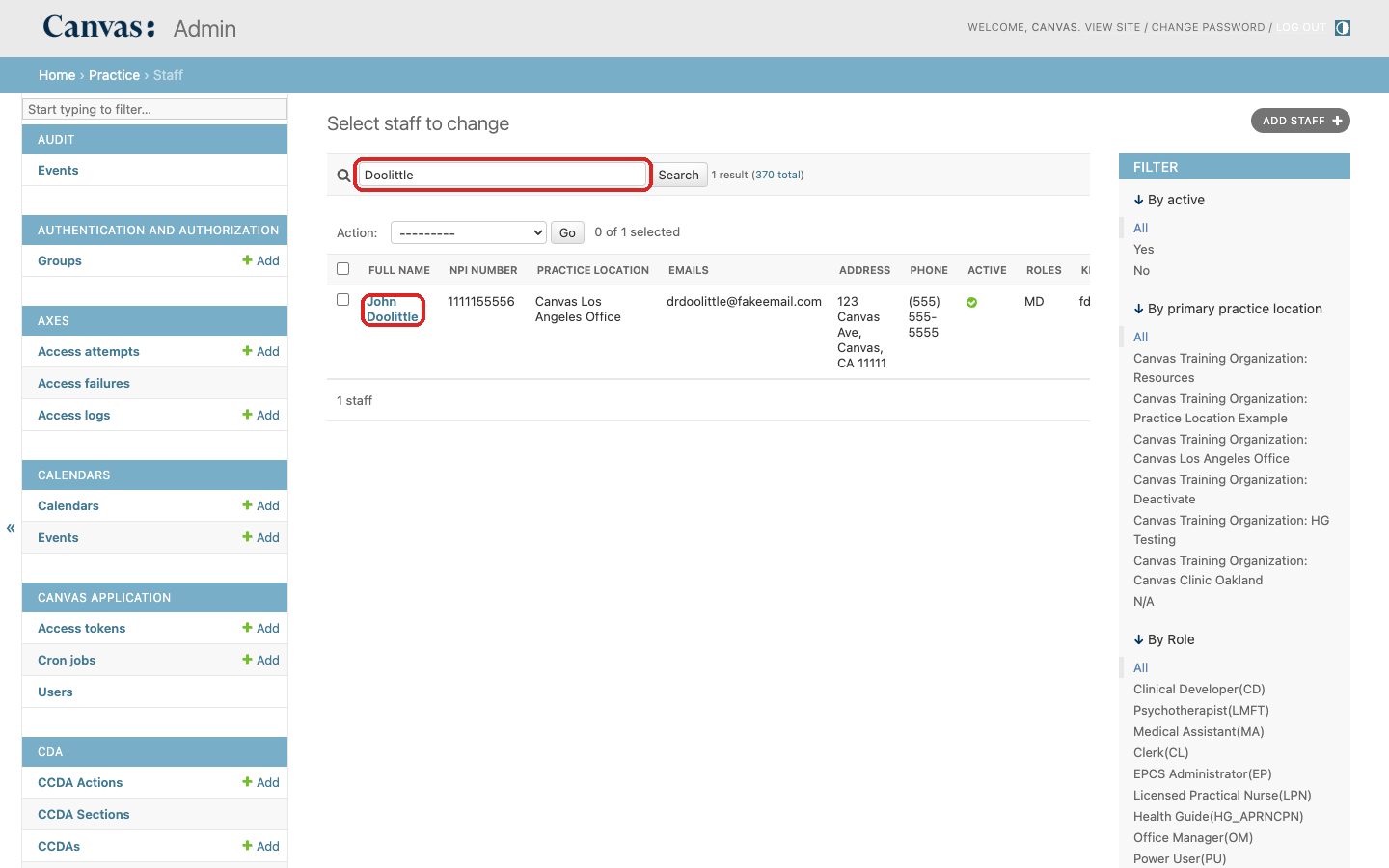
In Settings, go to Practice > Staff and open the prescriber's record.
Check First name, Last name, and Birth date against the prescriber's ID, and fill in Birth date if it is blank.
Click Save.
Give the staff member that is tracking Identity Verification the EPCS Administrator role
In Canvas, open the menu and click Settings.
Go to Practice > Staff, search for the staff member, and click their name.
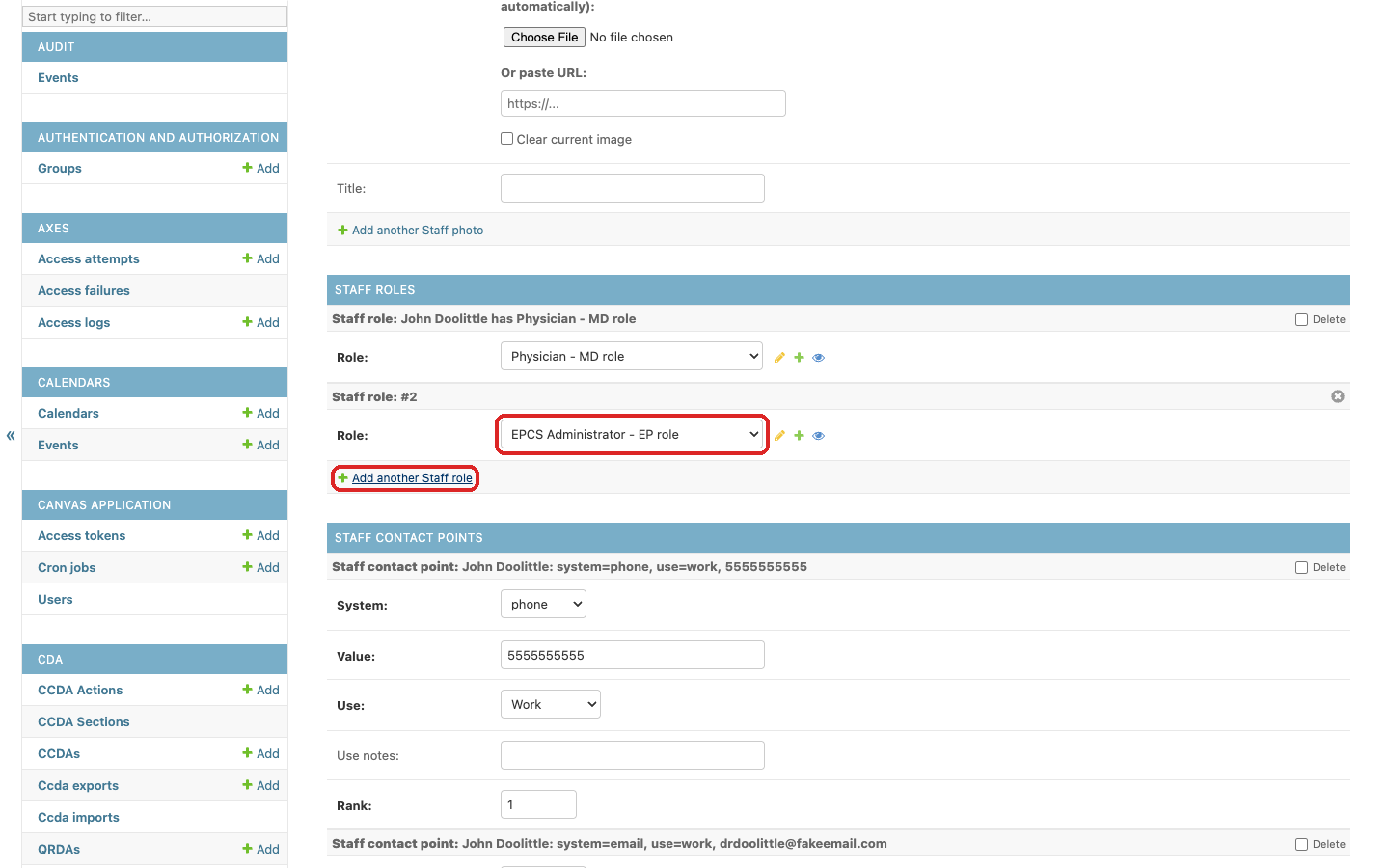
Scroll to Staff roles and click Add another Staff role.
In the new Role field, choose EPCS Administrator - EP role.
Click Save at the bottom of the page.
Open the Identity Verification Dashboard
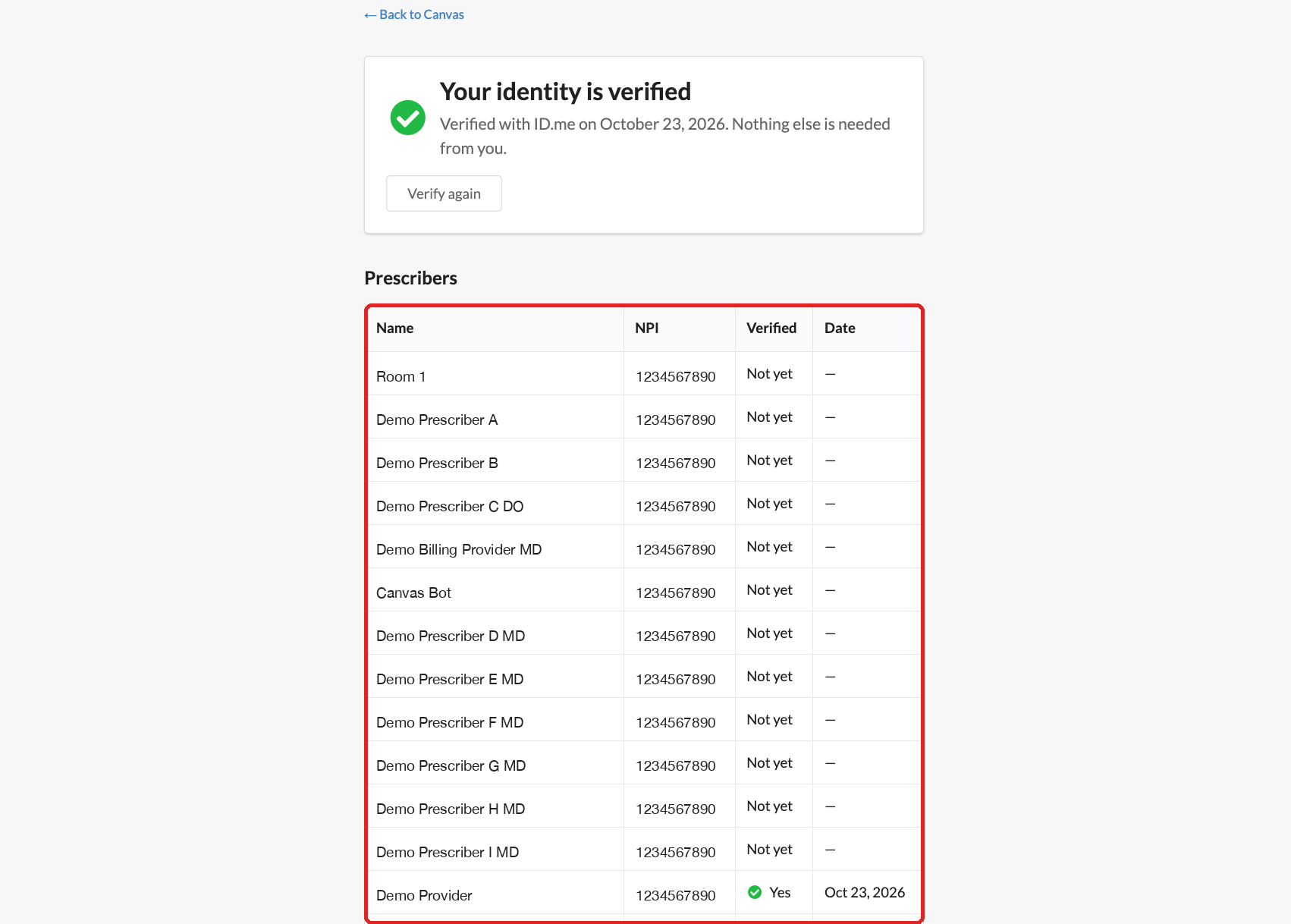
Open Identity verification from the left hand menu. Below your own status, the Prescribers table lists every active staff member with their NPI, whether they have verified (Yes or Not yet), and the date.