Group Therapy Session Plugin
Last updated: June 30, 2026
The Group Therapy Session plugin helps clinicians document a scheduled group therapy appointment once, then write individualized documentation for each attendee. When the session is documented, Canvas creates appointment-note content for each patient in the group and marks the documentation as ready for signature.
Overview
Use this plugin when multiple patients attend the same group therapy session and the clinician needs to capture both:
Shared session details, such as the session topic, interventions, group name, and group process.
Patient-specific details, such as attendance status, participation, contribution, assessment, diagnosis, plan, and billing.
The plugin is designed for group therapy workflows, including sessions billed with CPT 90853.
Before you begin
The group therapy appointment must be scheduled in Canvas.
The appointment should include the patients who attended or were expected to attend the group session.
Your organization must configure a group therapy template before documenters use the workflow.
Confirm your organization’s billing rule before documenting, especially whether billing is applied once for the group session or per patient.
Configure the group therapy template
Administrators can define the documentation template used by clinicians. The setup page supports a template name, reason for visit, CPT code, billing mode, and configurable documentation sections.
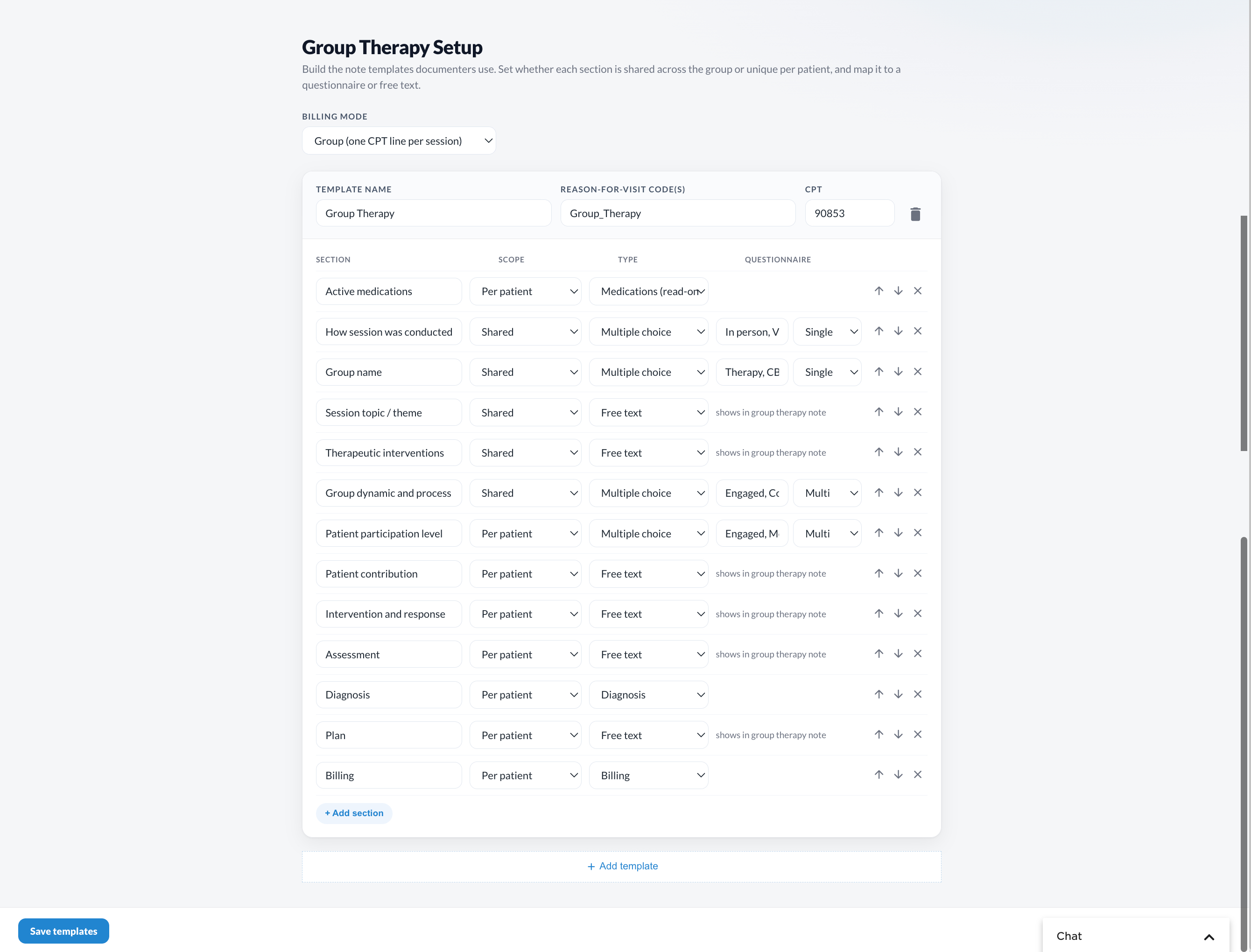
For each section, choose:
Scope: Shared across the group or captured per patient.
Type: Multiple choice, free text, medications, diagnosis, plan, or billing.
Questionnaire: The questionnaire or choice set that supplies the section’s options.
Example template sections include active medications, how the session was conducted, group name, session topic/theme, therapeutic interventions, group dynamic and process, patient participation level, intervention and response, assessment, diagnosis, plan, and billing.
Document a group therapy session
Open the Group Therapy Session app from Canvas.
Select the session date.
Choose the group session from the list. Sessions are shown with the time, provider, and patient count.
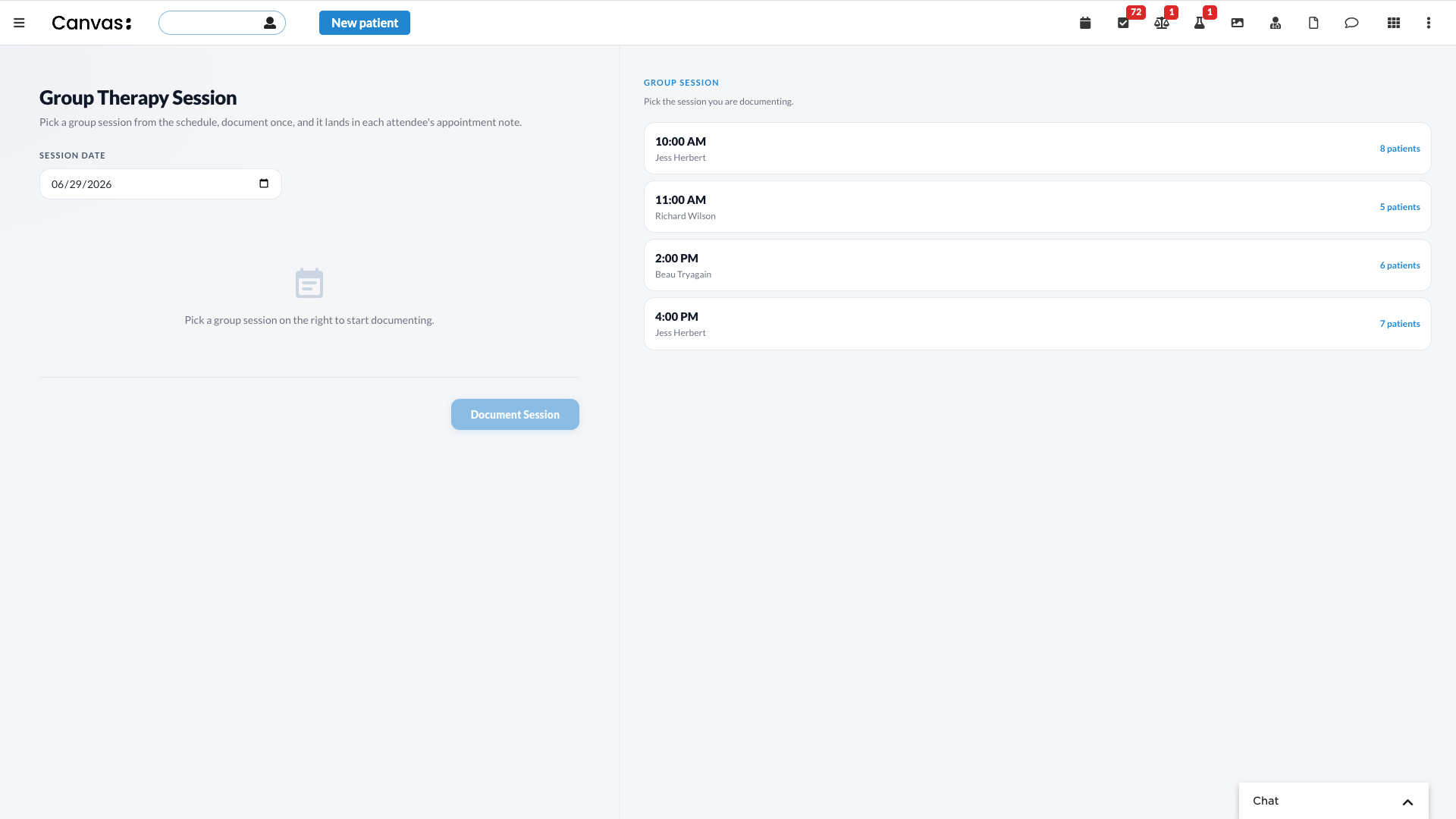
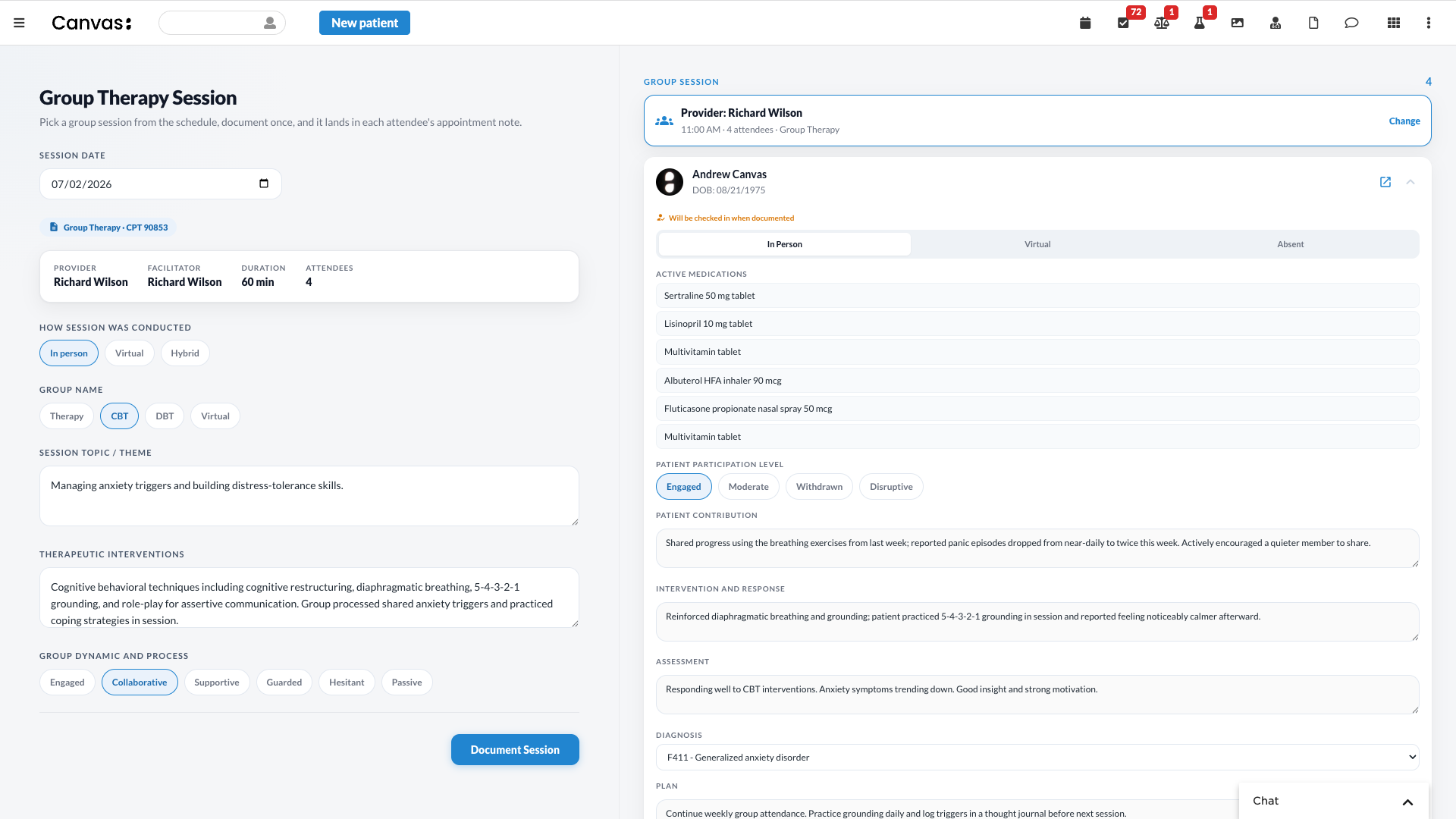
After you select a session, Canvas displays the session-level fields on the left and the selected attendee’s patient-specific documentation on the right.
Complete shared session details
Shared fields apply to every attendee’s note. Depending on your template, these may include:
How the session was conducted: In person, Virtual, or Hybrid.
Group name, such as Therapy, CBT, DBT, or Virtual.
Session topic or theme.
Therapeutic interventions.
Group dynamic and process.
Complete patient-specific details
For each attendee, document the information that is unique to that patient.
Select the patient in the group session panel.
Confirm attendance status: In Person, Virtual, or Absent.
Review active medications if included in the template.
Choose the patient participation level.
Enter patient-specific contribution, intervention and response, assessment, diagnosis, and plan.
Repeat for each attendee.
Document the session
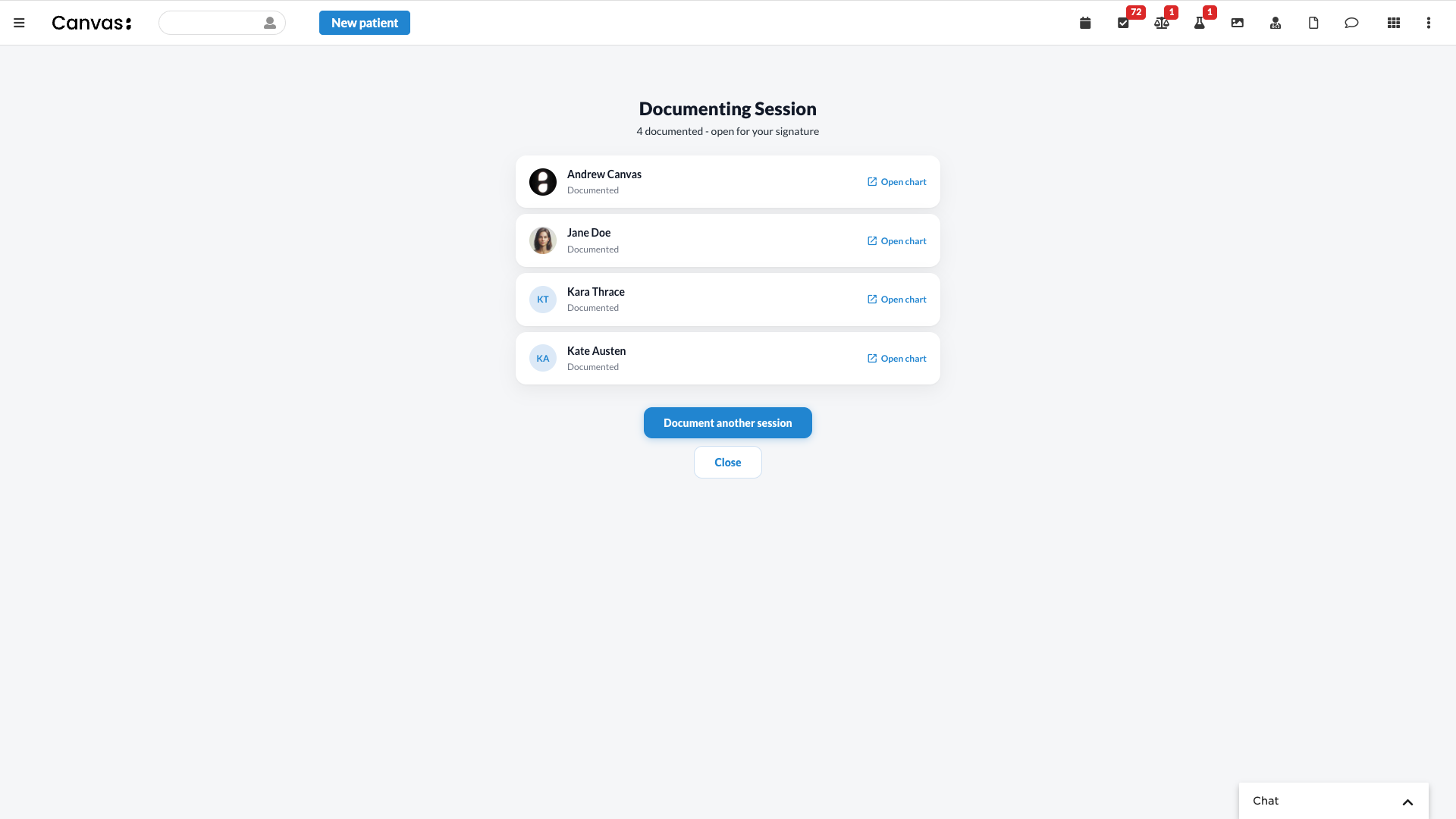
When all required shared and patient-specific fields are complete, select Document Session. Canvas creates documentation for the session attendees. The confirmation page lists each patient as documented and provides an Open chart action for each chart.
Billing
Billing behavior depends on the configured template and billing rule. In the example shown, CPT 90853 is applied per billing rule for each documented attendee. Review your organization’s configuration before using the workflow in production.
Troubleshooting
No sessions appear for the selected date: Confirm the session is scheduled on that date and includes group attendees.
The Document Session button is unavailable: Select a group session and complete any required shared or patient-specific fields.
A patient should not be documented: Set the patient’s attendance status appropriately, such as Absent, according to your organization’s workflow.
Billing does not look correct: Review the Group Therapy Setup billing mode, CPT code, and billing section configuration.
Install the Plugin
Find the plugin to install at https://github.com/Medical-Software-Foundation/canvas/tree/main/extensions/group_therapy