Prescribing Restrictions
Last updated: November 7, 2024
The ability to prescribe medications in Canvas can be restricted to only prescriber staff roles through constance config in settings. The restriction applies to Prescribe, Adjust prescription, and Refill commands.
Enabling Prescriber Restrictions
By default, this setting is disabled. The Canvas administrator will enable this feature by navigating to Constance: Config in the Admin Settings menu. Locate RESTRICT_MEDICATION_ORDERS_TO_PRESCRIBER found under the Clinical Signature Restrictions section. Check the box under the Value column and click Save.

Ensure the Live settings updated successfully message appears at the top of the page to confirm the change. Refresh any open tabs for the change to take effect across all sessions.
We recommend using native search functions Control+F (Windows) or Command+F (Mac) quickly jump to setting
Configure Prescriber Roles
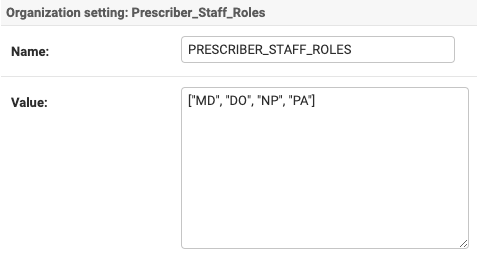
To define the list of roles that are available to prescribe, the PRESCRIBER_STAFF_ROLES setting under Practice: Organizations should be configured to specify who can prescribe. The setting specifies roles based on internal codes (e.g., DO, MD, CL). Ensure these roles align with those authorized to prescribe medications. Make any necessary updates and click Save.
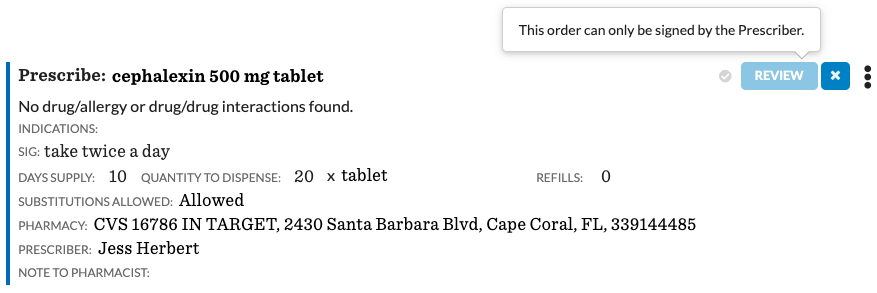
Entering a Pending a Medication Order (Non-Prescribing Staff)
When this setting is activated, support staff can initiate and fill out prescription commands, but they will not be able to commit them. Only the provider designated as the Prescriber on the prescription will have the ability to commit the command.
Resources
Due to the ever evolving nature of our product, recorded videos may be slightly out of date.