How to customize Hyperscribe prompts
Last updated: January 14, 2026
Custom prompting is available for the following commands:
ReasonForVisit - customizes the
commentfieldHistoryOfPresentIllness - customizes the
narrativefield
Plan - customizes the
planfieldInstruct - customizes the
commentfield
FollowUp - customizes the
reason_for_visitfield within the follow up command, e.g. "Follow up in two weeks to review lab results."
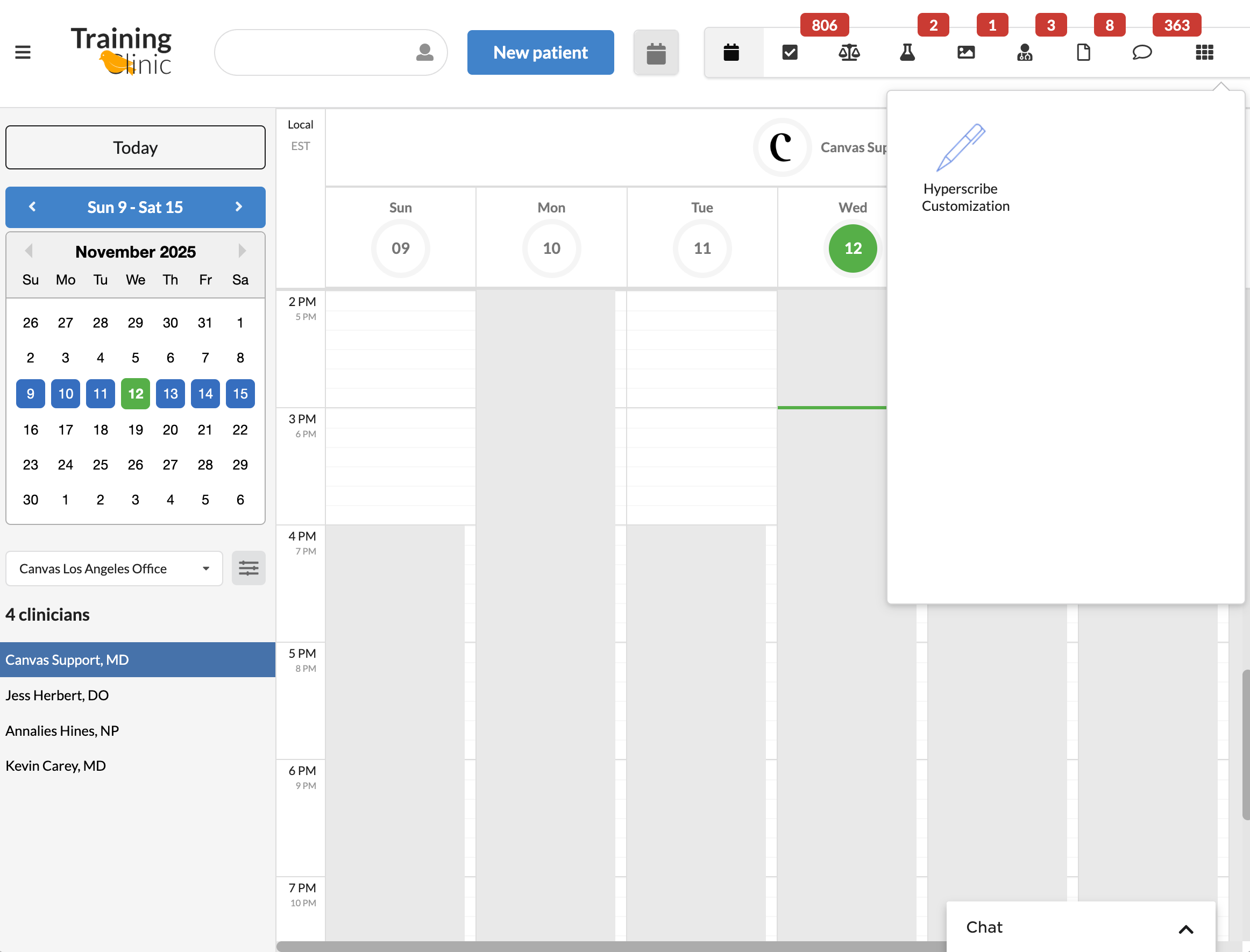
From the Schedule View, click on the grid to open the app drawer
Click on the "Hyperscribe Customization" app
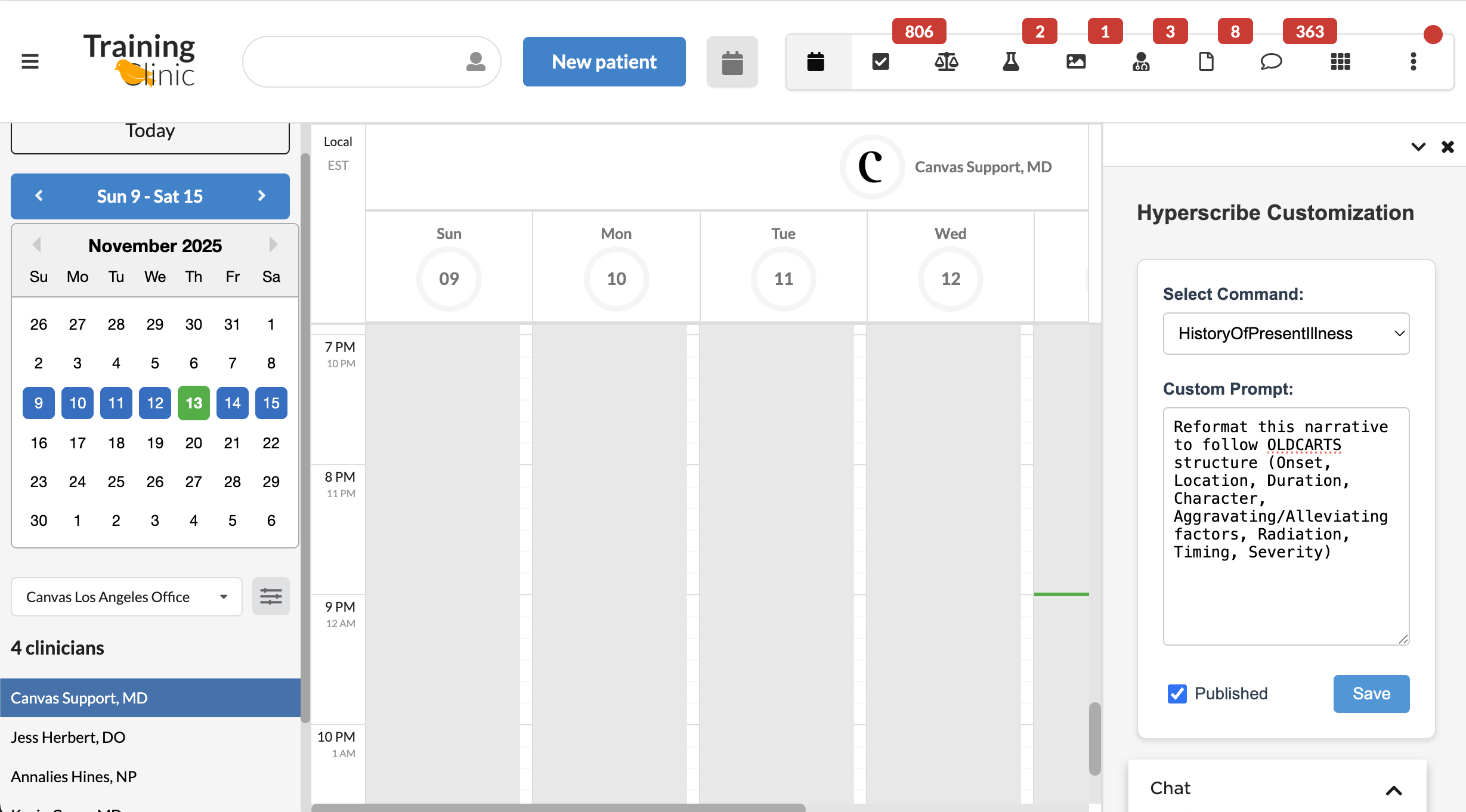
Select the Command that you want to customize
Enter a Custom Prompt in the free text field
Press "Save" to save drafted changes
Check "Published" and then press "Save" to publish saved changes
Command | Example Custom Prompt |
Reason for Visit | Use the patient's own words and maintain their perspective |
History of Present Illness | Reformat this narrative to follow OLDCARTS structure (Onset, Location, Duration, Character, Aggravating/Alleviating factors, Radiation, Timing, Severity) |
Plan | Format the plan with numbered items, including diagnostic tests, treatments, medications with dosages, follow-up instructions, and patient education points |
Instruct | Write instructions in simple, patient-friendly language. Avoid medical jargon |
Follow Up | Start with the primary clinical problem, then list specific tasks |
Video: How to Customize Prompts