Troubleshooting DrFirst Error "Authentication failed. Access is denied."
Last updated: September 28, 2026
Getting an "Authentication failed. Access is denied." error? Don't worry—this guide helps you identify and fix the issue so you can get back to prescribing.
What you'll learn
Common causes of authentication errors
How to troubleshoot your passphrase and token
Common Causes
Incorrect passphrase: Contains a typo, has been forgotten, or contains a special character
Incorrect token OTP: Typo when entering the pin
Mismatched token: OTP from a different token than the one selected in the dropdown
Expired OTP: The pin expired before you submitted. They change every 30 seconds.
How to Troubleshoot
Start by testing your passphrase, then your token.
Test your passphrase
Go to the EPCS Gold Prescriber Dashboard
Enter your NPI and passphrase on the first login screen
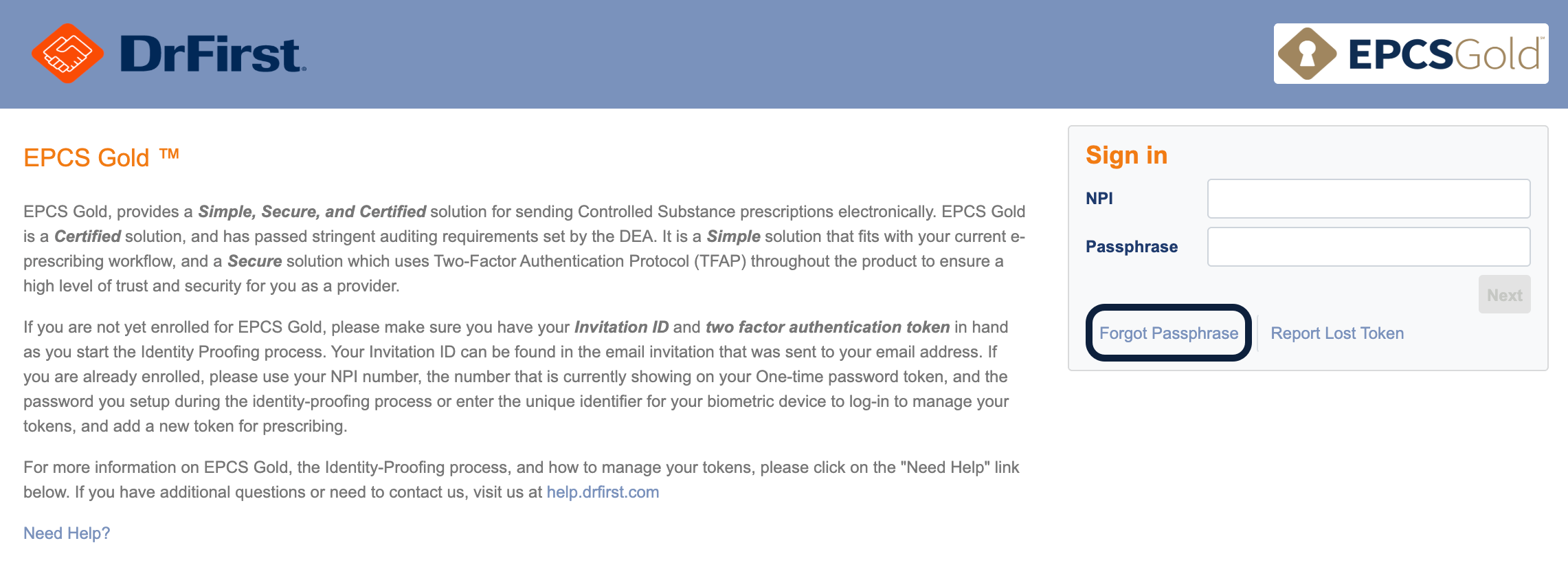
Check status
Passed: You moved to the next screen. Your passphrase is correct—move on to testing your token.
Failed: You received an authentication error. Your passphrase is incorrect, invalid, or contains a special character. Click Forgot Passphrase to reset it. See Resetting Your EPCS Passphrase for steps.
Locked out? Wait a full 15 minutes before trying again.
Test your token
Confirm the Credential ID in the dropdown matches your VIP Access app
Wait for a fresh OTP to generate
Enter the OTP and click Submit before it expires
If you receive an error, double-check the Credential ID matches your device exactly, generate a new OTP, and click Show Clear Text to verify you entered it correctly before submitting.
Still not working? Make sure your phone's time and date are set to automatic—tokens are time-synchronized. If the issue persists, contact DrFirst Support.
Error During Grant Activation
If you get this error while your administrator is activating your grant
Use a computer, not a phone or tablet
Use Chrome or Firefox as your browser
Make sure cookies are enabled in your browser settings
Next Steps
Once you've resolved the error, you can continue prescribing controlled substances or complete your grant activation.
Frequently Asked Questions
Q: How long is the lockout?
A: 15 minutes. Three failed attempts trigger the lockout. During this time, you can't reset your passphrase or send controlled substance prescriptions.
Q: Can I use a different token if one isn't working?
A: Yes, if you have multiple tokens registered. Select a different one from the dropdown and use its OTP.
Q: What if I don't remember which token is registered?
A: Check the VIP Access app on your phone—it shows the Credential ID at the top. Match this with what's in the dropdown.
Q: What if my passphrase has a special character?
A: Reset your passphrase and create a new one without special characters.
Q: What if I have a DrFirst account at more than one practice?
A: You will use the same passphrase at each location because a provider's NPI is associated with a single passphrase that works across all EPCS-registered practices.
Related Articles
Keywords: authentication failed, access denied, EPCS error, passphrase error, token error, OTP error, lockout
Categories: EPCS, DrFirst, Troubleshooting
Roles: Providers