Command | Stop Medication
Last updated: November 3, 2024
Introduction
Documenting the completion or cessation of historical medications is an important part of high quality charting.
Video
Stop Medication
Canvas provides two methods for discontinuing medications from a patient's chart.
Stop from Chart Note
Within a new or existing note in a patient chart, type
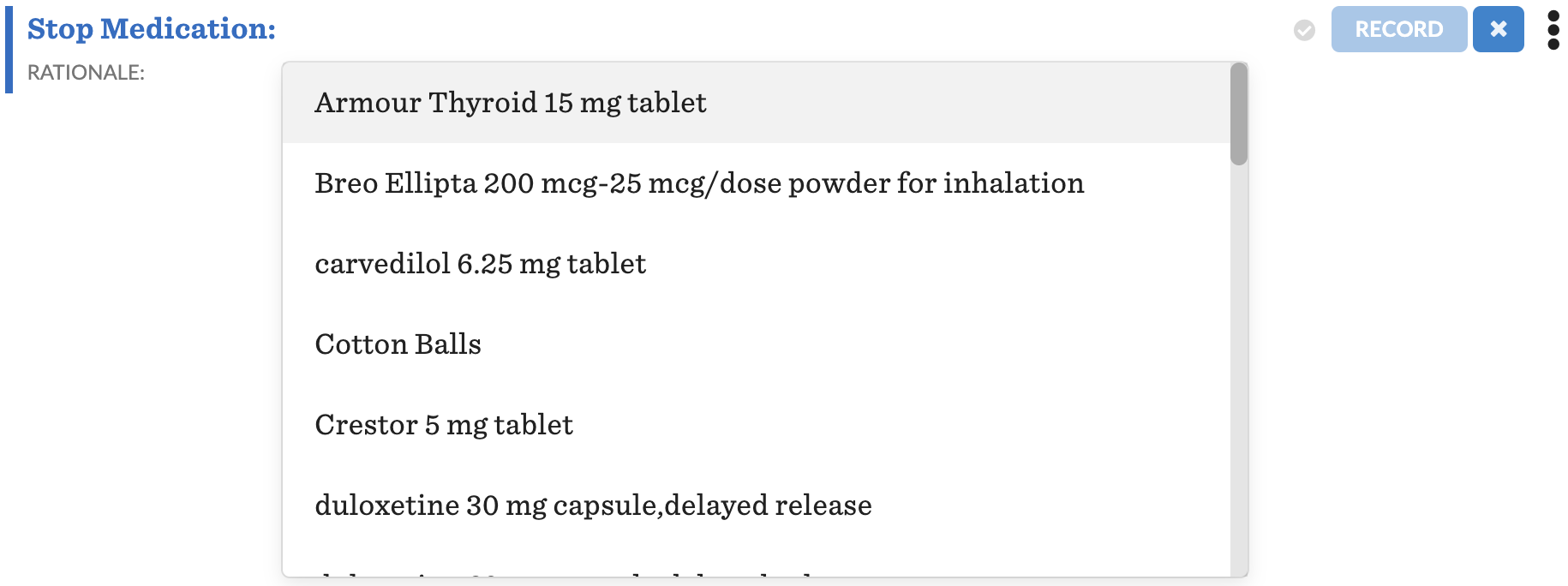
StoporDiscontinueand select theStop Medicationcommand from the dropdown list
Select the medication to discontinue from the dropdown list of the patient’s current medications
Stop from Patient Summary
Navigate to the
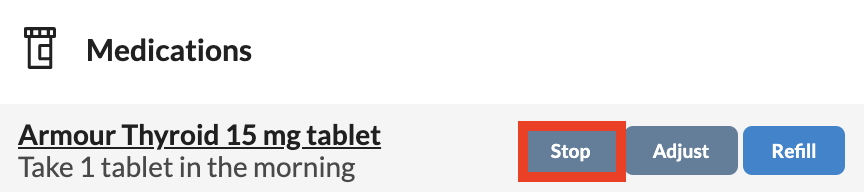
Medicationslist in the patient summary located in the left panel of the patient chartHover over the desired medication and click
StopIf an open note is selected, the
Stop Medicationcommand will populate within the open note.If open note has not been selected, a Chart Review note will be created and the
Stop Medicationcommand will populate within the Chart Review
Using the Stop Medication Command
Once the command has been placed in the note, the fields will need to be completed
Fill out the
Rationaleor reasoning behind stopping the medicationThis field is not required
Field has a 1024 character limit
Click
RECORDMedication will be removed from Patient Summary's medication list
