Signing In and Access Help
Last updated: November 5, 2026
How to Sign In
Go to platform.canvasmedical.com, enter your email and click Continue.
If your organization has set up single sign-on, you go straight to your identity provider. Otherwise, enter your password.
If you sign in with a password and have a second sign-in step, enter the code from your authenticator app or use your passkey.
Keeping Your Account Secure
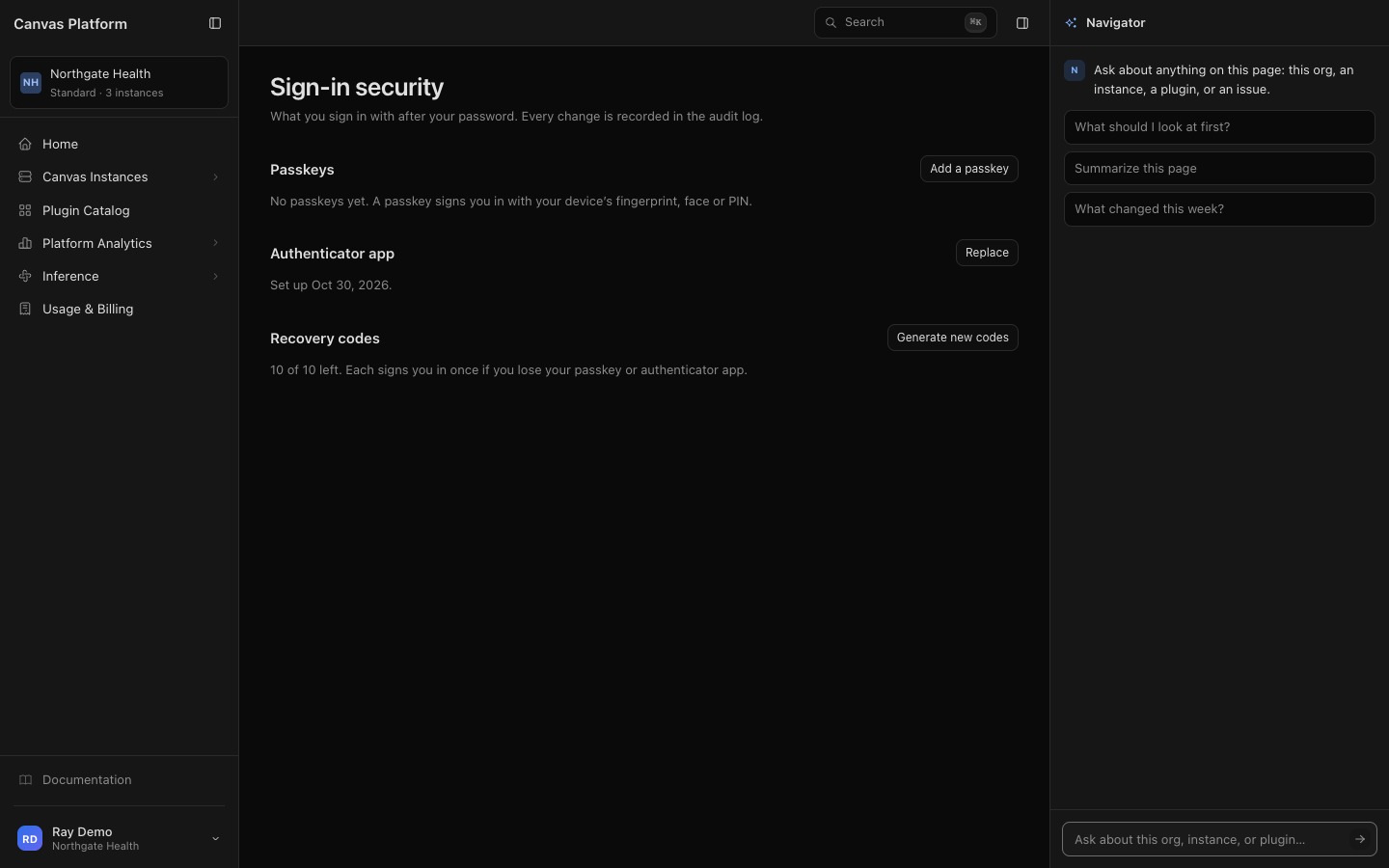
If you sign in with a password, open Sign-in security from the account menu to add a passkey or an authenticator app. After that, Canvas Platform asks for it at every sign-in, so a stolen password isn't enough to get in. If your organization requires a second step, Canvas Platform asks you to set one up the first time you sign in.
When you add your first passkey or authenticator app, Canvas Platform gives you recovery codes. Save them somewhere safe. Each one signs you in once if you lose your phone or passkey. To get a fresh set, click Generate new codes on Sign-in security.
💡 If you sign in only through single sign-on, you won't see Sign-in security. Your identity provider controls how you sign in.
When You Can't Get In
What you see | Why | What to do |
|---|---|---|
"That email and password do not match an account." | The email or password is wrong | Check both, or click Forgot your password? to choose a new one |
"Too many attempts. Try again in … minutes." | Ten failed sign-ins in an hour lock your sign-in for a while, and each further failure makes the wait longer, up to a day | Wait for the time shown, then try again. If you've forgotten your password, click Forgot your password? |
"Your session has ended. Sign in again to continue." | Canvas Platform signs you out after 15 minutes without activity, and 12 hours after you sign in | Sign in again |
"That sign-in could not be completed." | Your identity provider didn't confirm your sign-in | Try again. If it keeps happening, contact your organization's administrator |
"[Your organization] signs in through its identity provider, which could not be reached." | Your identity provider didn't respond | Try again later. If password sign-in is still on for your organization, you can use your password instead |
"Your account is not attached to an organization, so there is nothing here yet." | You can sign in, but you don't belong to an organization yet | Ask your administrator to add you, or accept your invitation if you have one |
You don't see a section, an instance or a button | Your roles don't include it | Ask an Organization admin to change your roles. See Users and Roles |
How to Reset Your Password
Start from the sign-in page. Enter your email, click Continue, then click Forgot your password?
Check your email. If your account signs in with a password, a link to choose a new one arrives. It expires in an hour.
Choose a new password from the link, then sign in.
Accounts that sign in only through single sign-on don't have a Canvas Platform password. Reset your password with your identity provider instead.
FAQ
Can I stay signed in longer?
No. Canvas Platform signs everyone out after 15 minutes without activity, and 12 hours after signing in.
I lost my phone and my recovery codes. How do I get back in?
Contact your Canvas team. They can reset your second sign-in step so you can set up a new one the next time you sign in.
I didn't get the password reset email.
Check your spam folder, and wait five minutes before asking for another one. If your account signs in only through single sign-on, no email is sent: reset your password with your identity provider.