Designating test instances
Last updated: November 11, 2026
A test instance is an instance where your developers can deploy plugin code that is not yet merged to main, using canvas deploy --branch. Every other instance only takes plugin code that is on main. Your organization's Studio instance is always a test instance, and you choose any others from Canvas Platform that meet the requirements.
💡 The Deploy manager or Organization admin role is required to add or remove test instances.
How to Designate a Test Instance
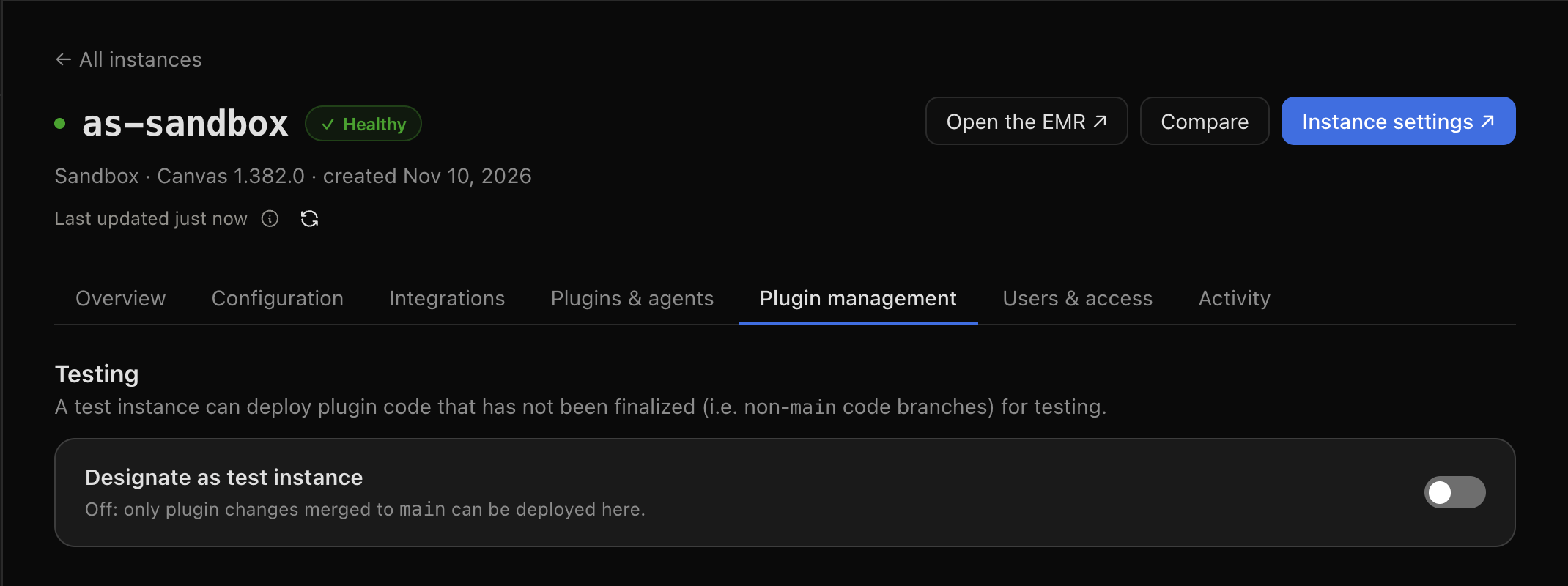
Open the instance. Go to Canvas Instances in the sidebar and click the instance.
Open Plugin management. Click the Plugin management tab. The Testing section holds the Designate as test instance switch.
Turn it on. Click the switch, then click Make test instance to confirm.
A flask now marks the instance beside its name and in the All instances table. Hover over it to read Dedicated plugin testing instance.
How to Remove a Test Instance
Open the instance's Plugin management tab.
Turn off Designate as test instance.
Click Remove to confirm.
Plugin code not yet merged to main can no longer be deployed there. Plugins already installed on the instance stay as they are. Every addition and removal is recorded in your organization's audit log.
Which Instances Can Be Test Instances
Instance | Can it be a test instance? |
|---|---|
Staged Production, or marked as production by Canvas | No |
Holds patient data, as marked by Canvas | No |
Your organization's Studio instance | Always, and it cannot be removed |
Any other instance in your organization | Yes, once a Deploy manager or Organization admin turns it on |
When a test instance is later staged Production or marked as holding patient data, it stops being a test instance automatically. Clearing that mark later does not restore it, so you would have to turn the switch on again.
FAQ
Why is the switch disabled?
Hover over it for the reason. It is one of these: the instance is staged Production, it holds patient data, it is your Studio instance (which is always a test instance), it belongs to a different organization, or you don't have the Deploy manager or Organization admin role.
An instance holds no patient data, but Canvas Platform says it does. What should I do?
Contact your Canvas team. Canvas sets that mark and can clear it once the instance is confirmed to hold none.
Does removing a test instance uninstall anything?
No. What is installed there stays. Only new deploys of code not on main are refused.
Can a branch build be promoted to Production?
No. A build that is not on main deploys only to test instances, including through promotions. Merge the change to main first.