What Is Canvas Platform
Last updated: October 30, 2026
Canvas Platform is where your team manages everything around your Canvas instances: your instances, plugins, Studio, onboarding, AI usage and billing. It has its own sign-in at platform.canvasmedical.com, separate from your Canvas EMR.
How to Sign In
Open your invitation. An Organization admin on your team, or your Canvas team, invites you by email. Follow the link to set your password.
Sign in. Go to platform.canvasmedical.com, enter your email and click Continue. If your organization has set up single sign-on click Sign in with single sign-on.
Add a second sign-in step such as an authenticator app or a passkey.
💡 Setting up single sign-on for your organization? See Set up single sign-on for Canvas Platform.
Finding Your Way Around
The Sidebar
Canvas Platform sections are gated based on User roles, so your sidebar may look different from another member of your team.
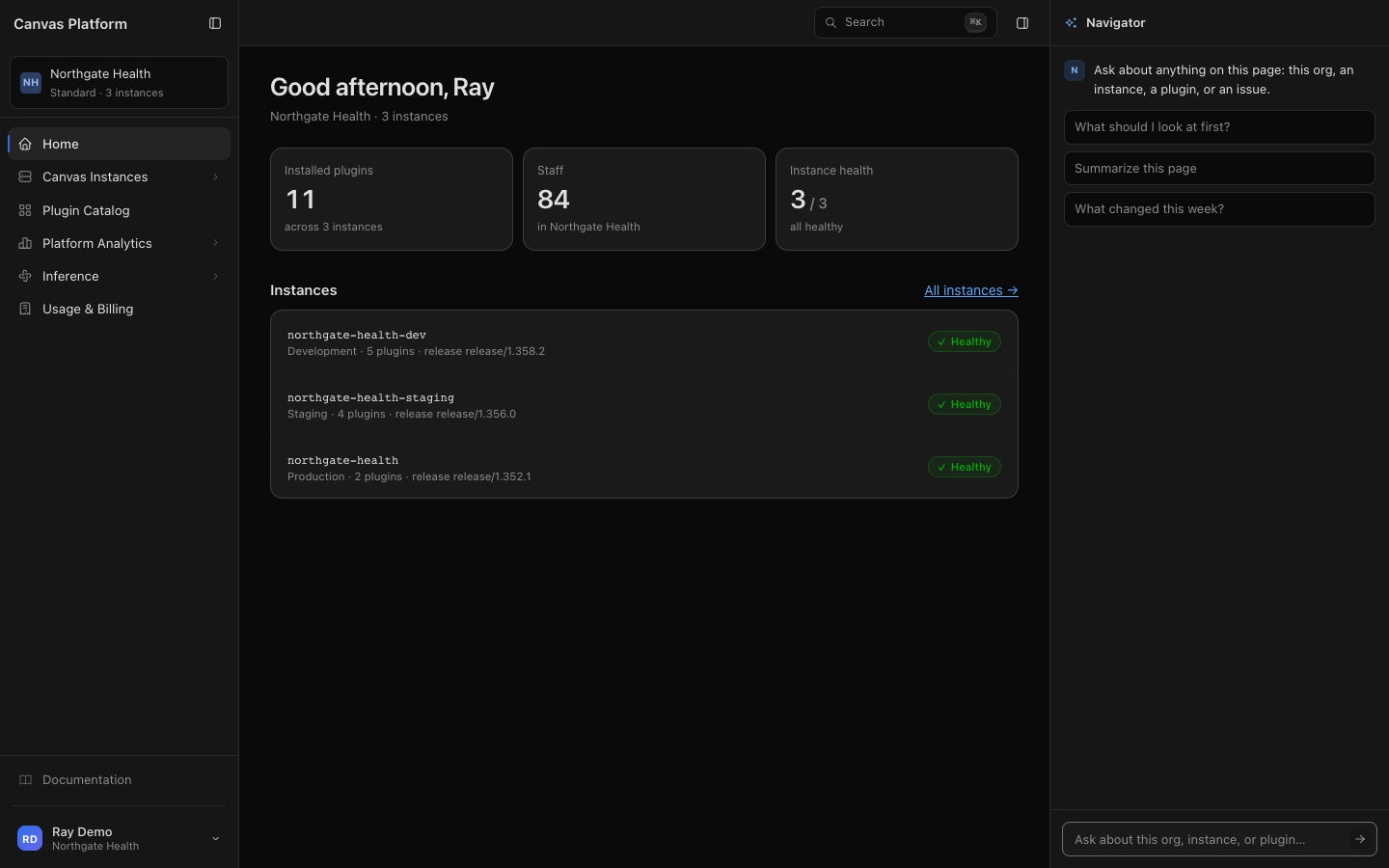
Section | What it's for | Who sees it |
|---|---|---|
Home | Your organization and its instances at a glance | Everyone |
Canvas Instances | Every instance you run, comparing instances, and promoting configuration between them | Any of: Read-only, Plugin developer, Deploy manager, Organization admin. Only Deploy managers can promote |
Plugin Catalog | Browsing and installing plugins | Everyone |
Onboarding | Your implementation with Canvas | Studio and Onboarding users, only while your implementation is active |
Studio | Building plugins with Canvas's AI assistant | Studio user, Studio admin |
Platform Analytics | Issues Canvas finds in your plugins, plugin performance, and Ask your data | Issues: everyone. Performance: anyone who can see instances |
Inference | Keys and usage for Inference Gateway | Everyone. Only Organization admin can create keys. |
Usage & Billing | Spend, invoices and payment method | Billing admin |
The Account Menu
Click your name at the bottom of the sidebar to open the account menu.
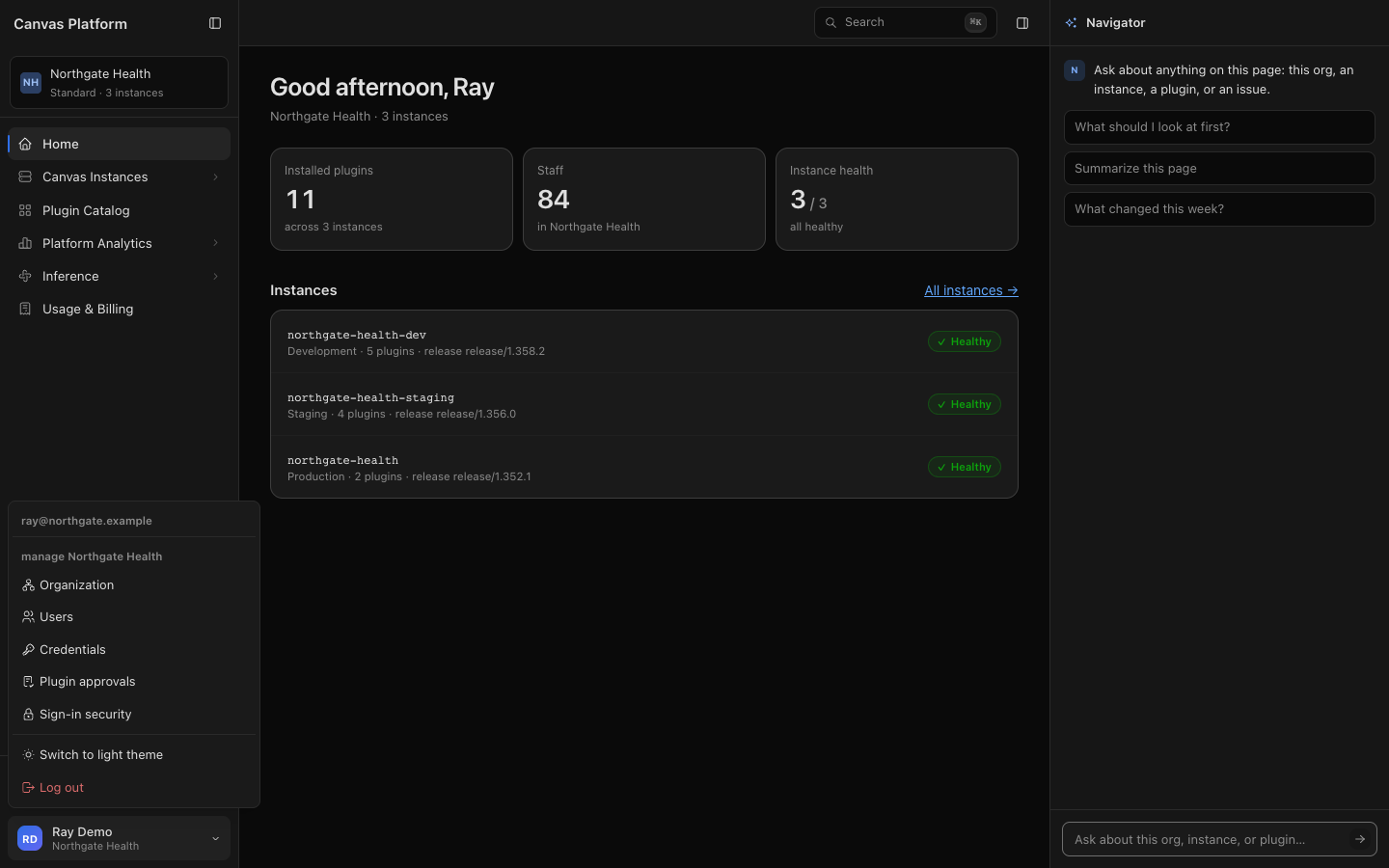
Item | What it's for | Who sees it |
|---|---|---|
Organization | Organization settings, single sign-on, and publishers | Organization admin |
Users | Inviting people and changing their roles | Organization admin |
Credentials | Service accounts your automation signs in as | Plugin developer, Deploy manager, Organization admin |
Plugin approvals | Approving a plugin's access to another plugin's data | Deploy manager |
Sign-in security | Your password and second sign-in step | Anyone who signs in with a password |
Key Terms
Term | What it means |
|---|---|
Organization | Your company in Canvas Platform. People, roles, instances and billing all belong to it. |
Instance | One Canvas EMR environment, such as your development or production instance. |
Role | What a person can see and do. A person can hold several roles. |
Plugin | Code that adds to or changes how Canvas works, built in Studio, by your developers, or by a partner. |
Publisher | An organization that offers its plugins to other organizations through the Plugin Catalog. |
Getting Help
Ask Navigator. The Navigator panel on the right answers questions about your organization, instances and plugins.
Read the docs. Documentation at the bottom of the sidebar opens the Canvas developer docs, for the Canvas SDK and the Canvas CLI.
Contact your Canvas team. Message us in your organization's shared Slack channel, or submit a ticket with the Canvas Platform support form.
FAQ
Is my Canvas Platform sign-in the same as my Canvas EMR sign-in?
No. Canvas Platform has its own sign-in. If your organization sets up single sign-on for Canvas Platform, you can sign in through your identity provider. If your organization turns on Single sign-on only, that's the only way in for users at your organization's domains.
Why don't I see a section a coworker sees?
Sections appear only for roles that can use them. Ask an Organization admin on your team to change your roles.
Who can give me access?
An Organization admin on your team. If your organization doesn't have one yet, contact your Canvas team.
Where did Studio and Onboarding go?
They moved into Canvas Platform. See Studio and Onboarding are moving to Canvas Platform.